


OTR 2
4.5439.00 Reviews
App Specs
- Version
- 1.2.1
- Updated On
- License
- Free
- Downloads
- 1,000,000+
- Developer
- DogByte Games
- Categories
- Racing
- Platform
- Android
Screenshots
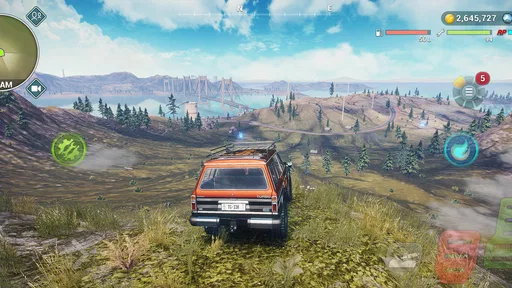
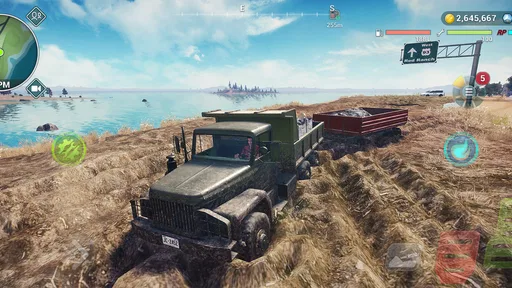
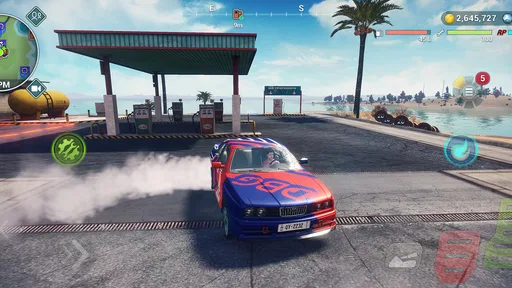
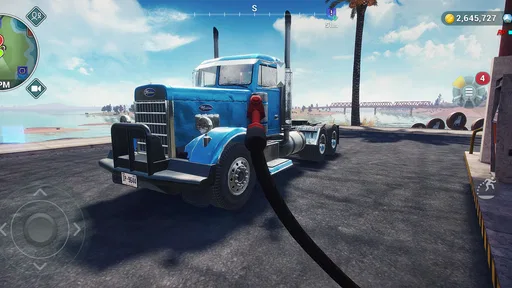
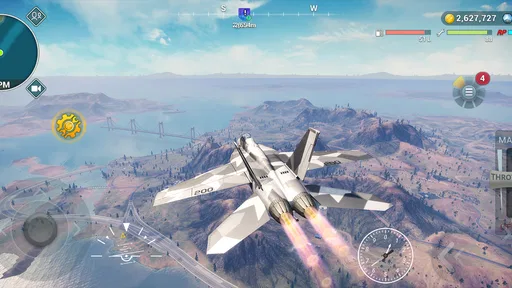
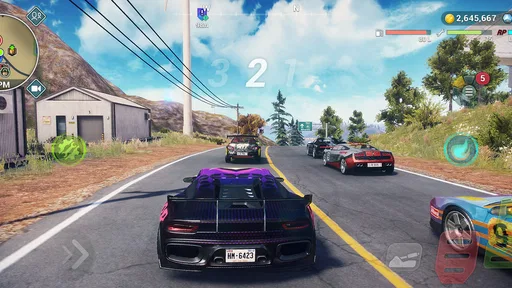
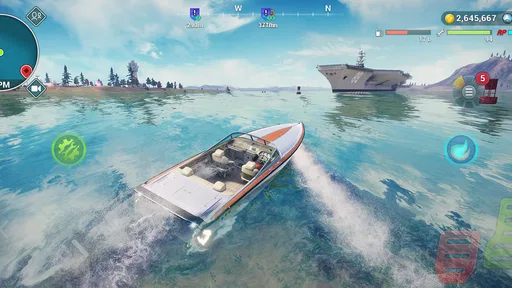
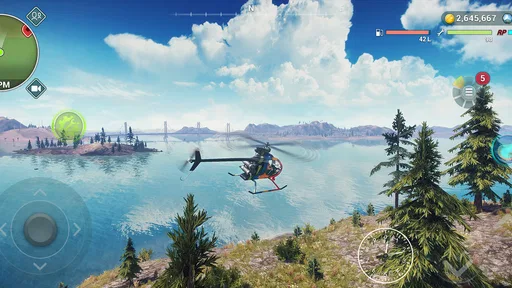
 Analysis by AppCompare
I’d treat OTR 2 as a game for a shared household screen or a spare device only after checking that everyone using it understands what kind of game it is. The title can sound like a messaging app, but OTR 2 is a racing game from DogByte Games, built around open-world driving and trucks. That distinction matters: this is for people who want to spend time behind the wheel, not for anyone looking for private chats or message encryption.
In a typical home, one person might start a drive after dinner, then hand the device to a sibling or parent who wants to try the same sort of off-road outing. That kind of casual turn-taking is a better fit than expecting several people to maintain separate, carefully managed profiles. I would decide in advance whether the device is shared freely or belongs to one player, because progress and preferences can be more comfortable to manage when one person is clearly in charge of the session.
Decide who owns the session
Before installing a game on a family tablet, I like to agree on a simple boundary: one person handles purchases and settings, while everyone else asks before changing anything. That is especially useful here because the game is free to start, but it offers in-app purchases ranging from $0.99 to $49.99 per item. I would keep purchase decisions with the account holder and avoid treating a child’s enthusiasm for a new vehicle or upgrade as permission to buy it.
This is not about assuming the game has a particular parental-control tool. It is a practical household habit that works across games: use the device’s existing account and purchase protections, and make the rule clear before handing over the screen. If several people take turns, agree on whether each person may adjust controls or vehicle choices, or whether the next player should leave the setup as they found it. A little coordination prevents a short play session from turning into a debate about who changed what.
What the open-world format changes
Compared with a conventional racing game built around quick, clearly defined races, an open-world driving game invites a less structured kind of play. I’d pick it when I want to explore and drive at my own pace rather than immediately compete for a finish line. That freedom can be a strength for younger or less experienced players, since they can focus on getting comfortable with driving instead of worrying about beating a timer. It can also be a weakness if someone wants short, tightly directed events and a constant sense of measurable progress.
A useful way to share the game is to agree on a small personal goal before a turn: explore a stretch of terrain, practise controlling a truck, or simply take a relaxed drive. That gives each player a satisfying stopping point without requiring the household to keep score. It also suits an everyday situation such as a quiet wait at home: one person can play for a little while, then pass the device along when they are done. I would not promise that every session will be equally quick or suited to a brief break, though; open-ended driving can make it tempting to continue longer than planned.
Getting Started with OTR 2
First off, downloading OTR 2 is a breeze. Whether you’re an Android aficionado or an iOS enthusiast, you can grab it from the respective app stores. Once installed, setting it up is a walk in the park. The app guides you through the setup with clear instructions, making sure you’re not left scratching your head.
Worth Reading Before You Choose

EA SPORTS FC Mobile 26 Is a Bigger Football Game, but It Takes Time

Flipboard Shows What News Apps Must Do Beyond the Feed

Switching to Android Auto Means Rethinking Your Driving Routine

Google Calendar Makes a Crowded Week Easier to Manage

Ludo King Makes the Most of the Minutes Between Plans

Baby Panda World Brings Quick Play to Modern Phones, but Its Game Library Feels Busy
Now, let’s talk about the user interface. It’s clean, straightforward, and super intuitive. You don’t have to be a tech wizard to navigate through. Everything is laid out in a way that just makes sense. You know those apps that make you feel like you need a manual just to send a message? Yeah, this isn’t one of them.
Features That Stand Out
The standout feature of OTR 2 is its focus on encryption. Every message you send is encrypted end-to-end. What does that mean? Basically, nobody except you and the person you’re chatting with can read what’s being sent. Not even the app developers have access. It’s like whispering a secret in someone’s ear but in text form.
Another cool feature is the self-destructing messages. You can set your messages to disappear after a certain period. It’s like Snapchat for texts! This is perfect if you’re sharing sensitive information and want to ensure it doesn’t linger in cyberspace forever.
Oh, and did I mention the app supports multi-device? You can sync your account across multiple devices seamlessly. So, whether you’re on your phone or tablet, you’re good to go. It’s all about flexibility, right?
Privacy and Security
If privacy is your thing, OTR 2 takes it seriously. The app doesn’t store your messages on its servers. Once a message is delivered, it’s gone from their system. Plus, it’s open source. For the geeks out there, this means you can check out the code yourself to see how everything works under the hood.
And here’s a fun little feature: you can verify your contacts’ identities with a secret phrase. It’s like having a secret handshake but in the digital world. This extra layer of security ensures that you’re chatting with the right person and not some impersonator.
Age, expectations, and trust
OTR 2 is rated Everyone, which makes it broadly suitable from an age-rating perspective, but I still think parents should consider the child as an individual. A young player who enjoys vehicles and free-form exploration may find the premise appealing; someone who gets frustrated when a game asks for patience or experimentation may prefer a more guided racer. The age label is a useful starting point, not a guarantee that the play style will suit every child.
I’d also explain the purchase boundary in plain language before a child starts: the game costs nothing to download, but optional purchases are available. That is a clearer expectation than saying “it’s free” and leaving the family to discover a purchase prompt later. If the device is used by adults and children alike, the account holder should handle any purchase decision rather than relying on everyone to remember a rule that was never discussed.
The current version is 1.0.2, and the game has a 4.5 average from around 11,000 ratings, with over 500,000 installs. Those figures suggest that many players have tried it, but I wouldn’t use popularity as a substitute for checking whether its particular driving style suits your household. I’d rather let a player try a short session and judge whether the open-world approach feels enjoyable than assume a highly rated racing game will click with everyone.
When another kind of racer is a better fit
If your usual choice is a track racer, you may be used to compact events, clear routes, and the immediate push to finish ahead of opponents. OTR 2 is a different sort of pick: its appeal is the open-world truck-driving angle, not simply a succession of conventional races. I’d choose a track-focused alternative when I want a quick competitive round or a clearly defined challenge; I’d choose this one when the pleasure is in roaming and handling a vehicle across off-road surroundings.
That difference also affects how I’d recommend it to friends. It is a better match for someone who likes vehicle-based exploration than for a player who mainly wants head-to-head competition or a realistic driving lesson. “Simulator” in the store summary should not be taken as a promise that the game teaches real-world driving skills. I’d keep play on-screen and treat the handling as part of a game, not as guidance for driving an actual truck.
Everyday Usability
So, how does it fare in day-to-day use? Honestly, it’s pretty smooth. Sending messages, photos, and even voice notes is quick and easy. The app doesn’t lag, which is a relief because there’s nothing more frustrating than a buggy app that crashes mid-conversation.
The notifications are timely, and you can customize them to suit your style. Whether you want subtle pings or loud alerts, you’re in control. Plus, the app doesn’t bombard you with annoying ads. It’s all about keeping your experience as distraction-free as possible.
Practical trade-offs before a first drive
For Android users, the minimum operating-system requirement is Android 6.0, so checking the device’s software before planning a shared installation is a sensible first step. The game is free, but the optional purchase range is worth discussing up front. I’d also think about who is likely to use the device next: a shared tablet can make a relaxed pass-the-turn session convenient, while a personal phone may be better if one player wants their choices and progress left undisturbed.
One non-obvious household tip is to decide on a stopping point before the first drive rather than after someone has already become absorbed. Open-world play can be harder to put down than a race with an obvious finish, so a simple turn limit or “one more drive, then pass it on” agreement can keep sharing friendly. Another is to let a new player try the controls without an audience if they are self-conscious; a driving game is more fun when learning is not turned into a competition before the player is ready.
DogByte Games is the developer, and the game was released on May 24, 2026. I’d focus less on release timing and more on whether the installed version and device work well for the intended player. If someone in the house prefers precise objectives, ask them to try a brief session before deciding whether it belongs in the family’s regular rotation. If they enjoy choosing their own pace, that flexibility is likely to matter more than a checklist of race features.
The Final Verdict
So, what’s the bottom line? If you’re looking for a messaging app that prioritizes privacy without skimping on functionality, OTR 2 is worth checking out. It’s like having a personal bodyguard for your chats, ensuring your conversations stay just between you and your intended recipient.
Whether you’re discussing business secrets or just sharing memes with friends, having an extra layer of security is always a good idea. So, why not give it a whirl and see how it fits into your digital life? You might just find yourself wondering how you ever managed without it. Happy texting!
For a household, my recommendation is conditional: I’d try it if someone genuinely wants open-ended off-road driving and the family is comfortable setting a clear purchase rule. I’d skip it for a shared device if everyone expects separate, clearly divided play spaces, or if the main goal is a fast competitive race with a definite endpoint. The central question is not whether it can entertain every person in the house, but whether its slower, exploratory driving style is the kind your household enjoys.
My practical verdict is to treat OTR 2 as a casual shared game only when the device owner is comfortable with the account and purchase boundaries. It can be a pleasant choice for taking turns, exploring, and getting absorbed in vehicle-focused play, but it is not a private messaging tool despite the name, and it should not be mistaken for real driving instruction. If those expectations are clear, a short first session is the simplest way to find out whether its particular kind of off-road driving earns a place on your device.
Pros
- User-friendly interface with intuitive navigation.
- Offers end-to-end encryption for messaging.
- Supports multiple devices seamlessly.
- Customizable themes enhance user experience.
- Regular updates improve functionality.
Cons
- Limited support for media file types.
- Occasional connectivity issues reported.
- Lacks integration with third-party apps.
- Notifications can be delayed at times.
- No option for cloud backup available.
FAQs for OTR 2
What is OTR 2, and what are its main features?
OTR 2 is a dynamic racing game that offers expansive open-world exploration, realistic graphics, and a variety of customizable vehicles. Players can engage in thrilling races, complete challenges, and explore diverse terrains. The game also features an engaging multiplayer mode, allowing users to compete against friends or global players.
Is OTR 2 available for both Android and iOS devices?
Yes, OTR 2 is available for download on both Android and iOS platforms. You can find it on the Google Play Store for Android devices and the Apple App Store for iOS devices. Ensure your device meets the minimum system requirements for optimal performance.
What are the in-app purchase options available in OTR 2?
OTR 2 offers a variety of in-app purchases to enhance the gaming experience. Players can buy custom vehicle upgrades, exclusive skins, and additional in-game currency. While the game is free to download, these purchases can help unlock premium features and expedite progress.
Does OTR 2 require an internet connection to play?
OTR 2 can be played both online and offline. However, an internet connection is required for accessing multiplayer mode and downloading updates. Playing offline restricts certain features, such as leaderboard rankings and real-time multiplayer competitions.
What age group is OTR 2 suitable for?
OTR 2 is suitable for players aged 12 and up, primarily due to its competitive racing elements and mild interactive challenges. Parents should be aware of the in-app purchases and online interactions, supervising use accordingly to ensure a safe gaming experience.


